
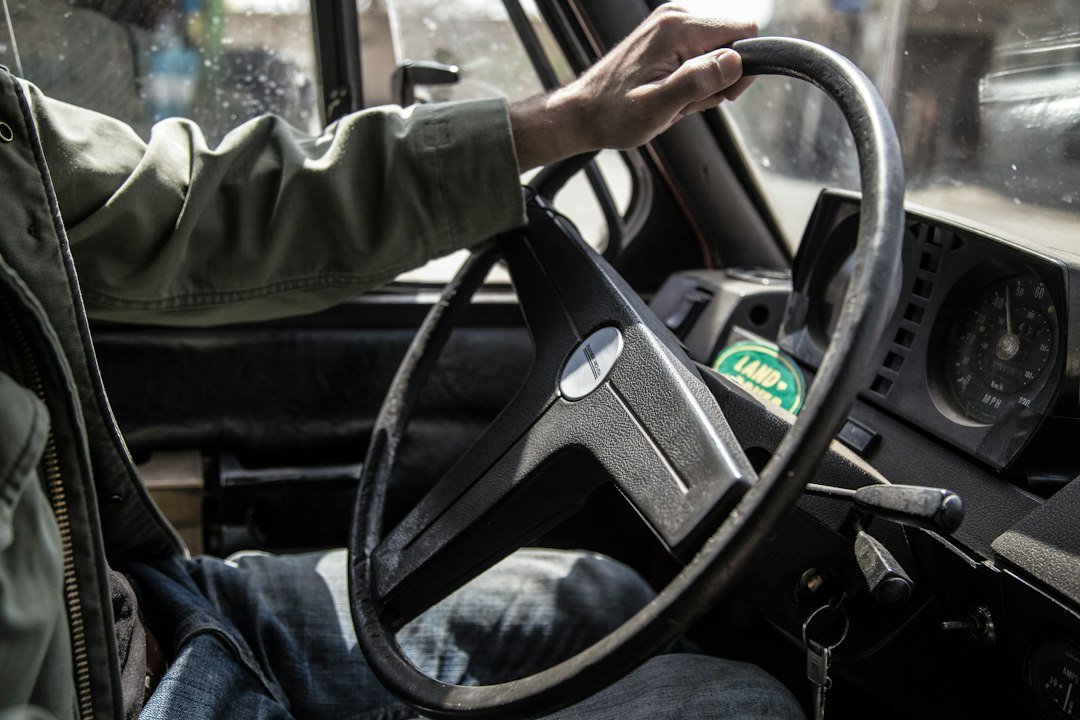
Direct answer: A reaction time test for drivers measures how quickly you can respond to a visual cue, and you can run one instantly in your browser using a free tool that displays your time in milliseconds.
Try it now: use our free reaction time test right in your browser, no download or sign-up needed.
Key Takeaways
- Use the free browser‑based reaction time test for drivers to get an immediate reading.
- Typical safe driving reaction times are under 250 ms; slower scores may indicate the need for practice.
- Factors like age, fatigue, and device input method affect results.
- Improvement strategies include focused drills, better posture, and regular testing.

Why Test Your Reaction Time as a Driver?
Reaction speed is a core component of safe driving. When a hazard appears – another car braking, a pedestrian stepping onto the road, or a sudden stop sign – your brain must process the signal and your muscles must act. A slower reaction can increase stopping distance and raise crash risk. By quantifying your reaction time, you gain a concrete metric to track improvement and identify when external factors (like fatigue) are impairing your performance.
How to Run a Reaction Time Test for Drivers
The simplest way is to use the reaction time test on HeleneUpdate. The test works entirely in the browser: after a random pause, a box turns green, and the moment you click, the tool records your reaction in milliseconds. No download, no sign‑up, and it’s free.
For a driver‑focused session, repeat the test 5–7 times and record each result. The average of those attempts gives a more reliable picture than a single run.
Understanding the Numbers
Most healthy adults react between 150 ms and 250 ms to a visual stimulus. In driving contexts, experts often cite 200 ms as a benchmark for safe response to sudden events. Anything consistently above 300 ms may signal reduced alertness or the need for targeted training.
Factors That Influence Your Driving Reaction Time
Several variables can shift your scores:
- Age: Reaction speed gradually declines after the mid‑30s.
- Fatigue: Even mild sleep loss can add 20–30 ms.
- Device input: A mouse typically registers faster than a laptop trackpad; see our CPS differences for details.
- Distractions: Background noise or multitasking slows response.
- Health conditions: Certain medications or neurological issues affect processing speed.
Improving Your Reaction Time for Safer Driving
Improvement is possible with consistent practice:
- Schedule short, daily reaction drills using the same browser test.
- Incorporate hand‑eye coordination games (e.g., fast‑pace video games) for 10 minutes a few times a week.
- Prioritize sleep: aim for 7–9 hours to keep neural pathways sharp.
- Limit alcohol and sedating medications before driving.
li>Maintain proper posture: sit upright with both hands at the wheel to reduce movement lag.
Comparing Online Driving Reaction Tests
If you want to explore alternatives after trying our tool, a few sites also offer free driving‑specific tests. ReactionTimeTests.org provides a brake reaction test that simulates a stopping scenario. DMV IQ lists a 2026 reaction time test for drivers with a similar visual cue. Cognitive Train includes a brake reaction and stopping‑distance calculator. These can be useful for cross‑checking results, but they all rely on the same basic visual‑stimulus principle.
When to Seek Professional Advice
If your average reaction time consistently exceeds 300 ms, consider a professional evaluation. An optometrist can rule out vision issues, and a medical professional can assess neurological or medication effects. Driving instructors may also incorporate reaction drills into lessons.
Integrating Reaction Testing Into Your Routine
Make testing a habit by linking it to regular driving activities. For example, test your reaction time after a night shift, before a long road trip, or after a weekend of reduced sleep. Recording results in a simple spreadsheet lets you spot trends and correlate them with lifestyle factors.
Our average human reaction time guide offers age‑based reference ranges you can compare against your own data.

Common Mistakes to Avoid
- Using a mobile device with touch input; the latency can skew results.
- Running the test while distracted (e.g., watching TV) – it defeats the purpose.
- Taking only one measurement; variability is normal.
- Comparing scores across different devices without accounting for input lag.
Next Steps After Your Test
Once you have a baseline, set a realistic improvement goal – perhaps shaving 20 ms over a month. Re‑test weekly, note any lifestyle changes, and adjust your training accordingly. If you notice a sudden drop in performance, investigate possible causes like fatigue or health changes.
Real-World Scenarios to Practice Reaction Time
Putting a test on paper or a screen is useful, but the skill becomes truly valuable when you translate it to everyday driving situations. Below are three common scenarios and a step‑by‑step routine you can use to turn them into low‑stress practice drills.
1. Stop‑Sign Approach
When you see a stop sign, the goal is to come to a complete halt without slamming the brakes. This drill trains both visual recognition and foot‑to‑pedal coordination.
- Set up: Choose a quiet residential street with a clearly marked stop sign and minimal traffic.
- Measure distance: Use a tape measure or a smartphone app to mark a point 30 meters (about 100 feet) before the sign.
- Start: Accelerate to a comfortable speed (around 30 km/h or 20 mph) and note the exact moment you pass the 30‑meter marker.
- React: As soon as the stop sign comes into clear view, begin counting “one‑million‑one, one‑million‑two…” in your head. When the count reaches 1.5 seconds, gently press the brake.
- Evaluate: If you stop within the stop line without a harsh jerk, the 1.5‑second reaction window is realistic for you. If you overshoot, try extending the count to 1.8 seconds and repeat.
Repeat the drill three times, each time adjusting the count by 0.1 seconds until you find the sweet spot where you stop smoothly. This hands‑on method bridges the gap between abstract test numbers and the physical feel of braking.
2. Merging onto a Highway
Merging requires you to judge gaps, accelerate, and adjust steering quickly. The following routine isolates the reaction component without the pressure of high speeds.
- Location: Use a highway on‑ramp with a short acceleration lane and low traffic volume.
- Signal: Turn on your turn signal as you enter the ramp.
- Visual cue: Place a bright orange cone about 50 meters down the ramp. When the cone becomes visible, start a silent count.
- Action: After counting to 1.2 seconds, increase throttle to match the flow of traffic and steer into the lane.
- Check: Note whether you entered the lane smoothly or had to brake hard. If the latter, increase the count by 0.2 seconds on the next attempt.
Doing this drill a few times per week builds a mental “reaction buffer” that helps you stay safe when traffic is heavier.
3. Sudden Pedestrian Crossing
Pedestrians can appear at any moment, especially near schools or crosswalks. Simulating this event lets you practice the visual‑to‑motor loop without endangering anyone.
- Setup: Park your car in a parking lot with a clear line of sight to a side road.
- Assistant: Ask a friend to stand behind a parked car holding a small, brightly colored flag.
- Drive: Slowly roll forward at 10 km/h (6 mph) while keeping your eyes on the road ahead.
- Trigger: When the friend lifts the flag, start counting silently.
- Response: After 1.0 second, press the brake firmly enough to stop within two car lengths.
- Review: Discuss whether the timing felt natural or rushed. Adjust the count in 0.1‑second increments as needed.
This low‑speed exercise trains you to recognize a pedestrian’s movement and react without the danger of a real‑world surprise.
By rehearsing these three scenarios regularly, you convert the abstract reaction‑time score into concrete muscle memory. The key is consistency: a few minutes of focused practice each week yields measurable improvement over a month.
Choosing Between a Mobile App and a Physical Reaction‑Time Setup
Technology offers two main ways to measure driver reaction time: a dedicated mobile app that uses the phone’s touch screen and sensors, or a physical setup that combines a ruler, a stopwatch, and a simple visual cue. Both have merits, and the right choice depends on your goals, environment, and budget.
Mobile App Advantages
- Convenience: You can test anytime, anywhere, without extra equipment.
- Data tracking: Most apps store results, show trends, and let you export CSV files for deeper analysis.
- Standardized stimulus: The app controls the exact timing of visual cues, reducing human error.
- Multi‑modal tests: Some apps include auditory and tactile cues, giving a broader picture of overall reaction ability.
Physical Setup Advantages
- Low cost: A ruler (or a 1‑meter stick) and a basic stopwatch cost less than a dollar.
- Minimal tech reliance: Works even if your phone battery is dead or you’re in a remote area.
- Hands‑on feel: Dropping the ruler and catching it mimics the sudden motor response required when you need to brake quickly.
- Transparency: You see every step of the measurement, which can be reassuring for those skeptical of “black‑box” apps.
When to Prefer an App
If you want to track progress over weeks, compare results with friends, or integrate the test into a broader driver‑training program, an app is the logical choice. It also suits drivers who spend a lot of time in the car and can quickly pull out their phone during a break.
When to Prefer a Physical Test
A physical test shines in classroom settings, driving schools, or when you’re teaching a teenager who may not have a smartphone yet. It also works well for people who prefer tactile feedback over digital displays.
Hybrid Approach for Maximum Insight
Some drivers run both methods to cross‑validate their scores. Here’s a simple workflow:
- Perform the mobile app test first and note the average reaction time.
- Immediately follow with the ruler‑drop test, aiming for a similar environment (quiet, seated).
- Record both numbers side by side. If they differ by more than 0.2 seconds, consider factors such as phone latency or inconsistent stopwatch handling.
- Use the higher (slower) number as a conservative baseline for safety‑critical decisions, like setting following distances.
This dual‑method approach reduces the chance that a single measurement error skews your perception of your ability.
Practical Tips for Accurate Measurement
- Eliminate distractions: Turn off music, put the phone on silent, and close the car door.
- Use consistent lighting: Both apps and physical tests rely on visual cues; bright daylight or a well‑lit indoor space yields the most reliable results.
- Warm up: Take a few deep breaths and do a quick stretch before testing; a tense body can add milliseconds to your response.
- Repeat and average: Perform at least three trials and use the mean value. Outliers often reflect a momentary lapse rather than true ability.
Choosing the right tool is less about which is “better” and more about which aligns with how you plan to use the data. Whether you opt for a sleek app or a simple ruler, the most important outcome is a clear, repeatable number you can act on to improve your driving safety.
FAQ
What is a good reaction time for everyday driving?
Most safety experts consider under 250 ms a solid target for typical road situations. Scores under 200 ms provide a larger safety margin during emergency braking.
Does using a mouse versus a trackpad affect the test?
Yes. A mouse generally registers clicks faster than a laptop trackpad, which can add a few milliseconds to your result. See our article on CPS differences for more detail.
How often should I retake the reaction time test for drivers?
Weekly testing gives a clear picture of trends without causing fatigue. If you notice a significant change, test more frequently until you identify the cause.