
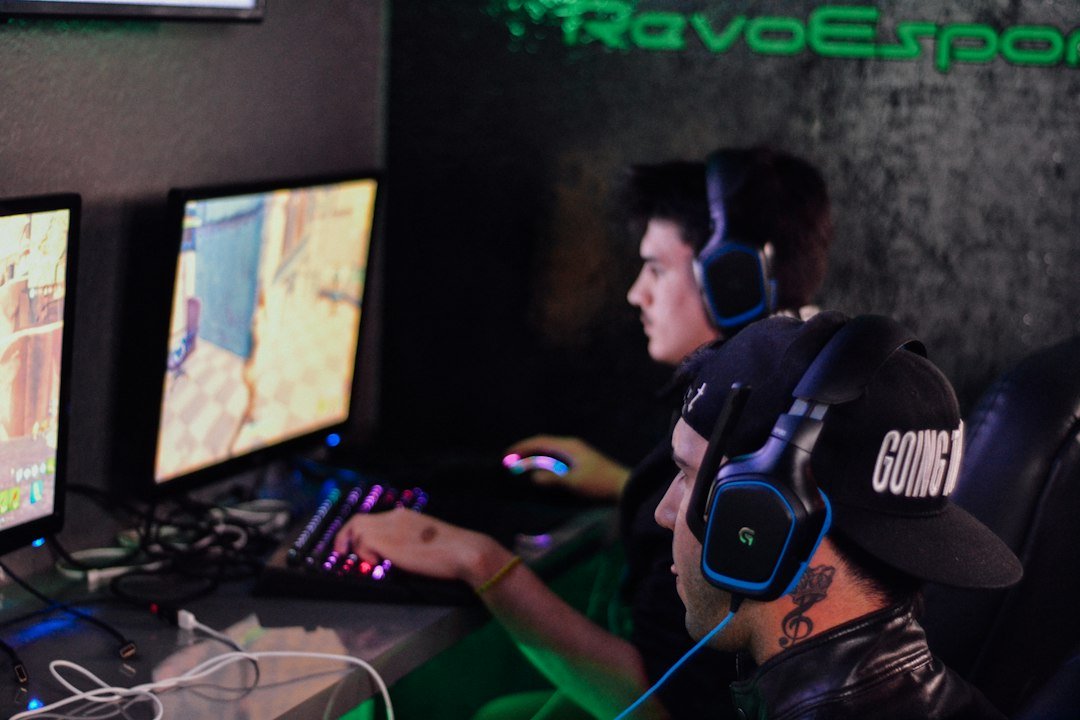
When you ask what is a good reaction time for esports, the short answer is: most professional players react between 150 ms and 250 ms, and aiming for under 200 ms puts you in a competitive zone.
Try it now: use our free reaction time test right in your browser, no download or sign-up needed.
Key Takeaways
- Pro esports athletes typically record reaction times of 150‑250 ms.
- Under 200 ms is a strong target for serious players.
- Consistent practice, proper ergonomics, and mental training can shave 20‑50 ms.
- Use a free browser‑based reaction time test to track progress.
- Improvement is incremental; expect 5‑10 ms gains per month with focused work.

Understanding the Numbers Behind Reaction Speed
Reaction time measures how quickly you respond to a visual cue. In esports, the cue is often an enemy appearing on screen or a sudden change in the game state. The Pro Gamer Reaction Times study reports averages of 180 ms for top‑tier FPS players, while amateurs hover around 300 ms. These figures give you a concrete benchmark to compare against.
Why Reaction Time Matters More Than Click Speed
Click speed (CPS) shows how many clicks you can generate per second, but in most games the decisive factor is how fast you perceive and act on an event. A player who clicks 12 CPS but reacts in 300 ms will lose to a 9 CPS player who reacts in 150 ms. That’s why we recommend starting with a reaction time test before chasing higher CPS numbers.
Free Browser Test to Measure Your Baseline
The quickest way to find out where you stand is to try the reaction time test. The box turns green after a random wait and displays your reaction time in milliseconds. No download, no sign‑up, and it runs directly in the browser.
How Professionals Reach Sub‑200 ms Levels
Elite players achieve sub‑200 ms reaction times through a combination of three habits:
- Consistent drills. Daily short sessions on reaction‑training tools keep the neural pathways sharp.
- Optimized hardware. Low‑latency monitors (144 Hz or higher) and high‑refresh-rate mice reduce input lag.
- Focused mental routines. Visualization and breathing exercises lower stress, which speeds up decision making.
For a deeper dive into hardware impact, see our guide on how to click faster on a mouse.
Practical Steps to Improve Your Reaction Time
Improvement follows a simple framework: Measure → Train → Review → Adjust. Here’s how to apply it:
- Measure weekly. Use the free reaction time test every 3‑4 days and log results.
- Train with variety. Alternate between simple visual tests and game‑specific scenarios (e.g., aim trainers, custom maps).
- Review patterns. Note times of day when you’re fastest; schedule practice accordingly.
- Adjust ergonomics. Ensure your monitor is at eye level, your chair supports good posture, and your mouse grip is comfortable.
Common Mistakes That Stall Progress
Many players think longer sessions automatically equal faster reactions. In reality, fatigue adds 20‑30 ms to each response. Other pitfalls include:
- Skipping warm‑up – jumping straight into high‑intensity drills can cause sloppy data.
- Relying solely on CPS tools – without reaction training, click speed improvements won’t translate to in‑game advantage.
- Ignoring sleep – lack of rest consistently raises reaction times.
How Age and Experience Influence Baselines
Reaction speed naturally declines after the mid‑20s, but trained gamers can maintain sub‑250 ms times well into their 30s. Experience matters: seasoned players develop pattern recognition that compensates for slight physiological slowdown.
Tools and Resources Beyond Our Free Test
After you’ve established a baseline, you might explore additional platforms for targeted training. The Sports and Passion guide lists several reputable programs, but our browser test remains the most accessible starting point.
Integrating Reaction Training Into Your Regular Practice
Instead of treating reaction drills as a separate activity, weave them into warm‑ups before matches. A 5‑minute session on the reaction test, followed by a short aim‑training map, creates a seamless transition to competitive play.
For a broader view of how reaction times differ between pro and amateur players, check out the Esports Reaction Time Report 2026. It highlights that the top 10 % of players consistently stay under 180 ms.
When to Seek Professional Guidance
If you’ve plateaued after several months of self‑training, consider consulting a performance coach who specializes in esports. They can tailor neuro‑feedback exercises and refine your in‑game decision‑making process.

Training Modalities That Translate Directly to In‑Game Performance
Not every reaction‑time drill improves your gameplay. Choose exercises that mimic the sensory and motor demands of your favorite esports titles.
1. Visual‑Only Drills
These focus on the speed at which your brain processes on‑screen information. A simple example is a flashing‑light test where a circle appears at random positions and you must press a key as soon as you see it. Keep the stimulus duration under 200 ms to push the limits of your visual processing.
- Why it works: Most shooters and MOBA games rely on spotting an enemy or a skill‑shot before the opponent reacts.
- How to implement: Use a free web app or a custom script that randomises the interval between flashes. Aim for three consecutive hits under 150 ms before taking a short break.
- Progression: Reduce the visual contrast or add peripheral distractions after you consistently hit your target.
2. Audio‑Cue Reaction Training
Games like Valorant or CS:GO include sound cues (footsteps, reload clicks) that can be decisive. Training with audio alone helps you react when your visual field is occupied.
- Exercise: Play a rhythm‑based game or a simple tone‑detection app where a beep occurs at random intervals. Press a designated key the instant you hear it.
- Tip: Start with a comfortable volume, then lower it gradually to simulate noisy in‑game environments.
- Metric: Record the latency from beep to key press; aim for sub‑120 ms after a week of consistent practice.
3. Combined Sensorimotor Drills
These replicate the split‑second decision making required when you must both see and hear a cue before acting.
- Setup: Use a dual‑stimulus app that presents a visual flash and a delayed audio tone. Your task is to respond to the visual cue while ignoring the sound, then switch to responding to the sound while ignoring the visual.
- Benefit: Trains selective attention, reducing the chance that irrelevant stimuli will slow you down during a match.
- Progression: Alternate the order of cues randomly to prevent pattern learning.
4. Game‑Specific Scenarios
Recreate moments from your favorite title. For a first‑person shooter, set up a map with bots that pop out of cover at unpredictable intervals. Use a low‑latency mouse and practice the exact mouse movement you would use in a real match.
- Key focus: Aim for the first mouse click after the enemy appears, not the follow‑up shots.
- Recording: Use the game’s built‑in replay system or a third‑party tool to capture timestamps of each encounter.
- Analysis: Compare the time between enemy appearance and your first shot across multiple sessions.
Designing a Weekly Reaction‑Time Improvement Plan
A structured schedule prevents burnout and ensures steady progress. Below is a template you can adapt to your own practice load.
Monday – Baseline & Light Warm‑Up
- Run the free browser test to record your current latency.
- Spend 5 minutes on a visual‑only drill at 70 % of your max effort.
- Finish with a 3‑minute low‑intensity stretching routine for the wrist and forearm.
Tuesday – Focused Visual Training
- Perform three 10‑minute blocks of the flashing‑circle exercise.
- After each block, note the average reaction time and any missed trials.
- Take a 2‑minute break between blocks to avoid mental fatigue.
Wednesday – Audio Cue Day
- Run a 15‑minute beep‑detection session.
- Gradually lower the volume after each successful 5‑minute segment.
- End with a quick breathing exercise to reset focus.
Thursday – Mixed‑Stimulus & Game Simulation
- Combine visual and audio drills for 20 minutes, alternating cues every 2 seconds.
- Follow with a 10‑minute custom map run in your esports title, tracking first‑shot latency.
Friday – Review & Light Play
- Re‑run the browser test; compare against Monday’s baseline.
- Play a regular match or scrim, but consciously note moments where reaction felt sluggish.
- Jot down any patterns (e.g., specific maps, enemy types) that correlate with slower responses.
Weekend – Recovery & Optional Extra
- Take at least one full day off from any reaction drills.
- If you feel fresh, repeat a single 10‑minute visual block at a relaxed pace.
- Use the time to read about ergonomics or watch professional players’ reaction moments for inspiration.
Stick to this rhythm for four weeks, then reassess your numbers. Small, consistent gains often add up to noticeable in‑game advantages.
Comparing Common Training Tools: What Fits Your Playstyle?
There’s a flood of apps and hardware promising faster reflexes. Below is a concise comparison to help you decide which aligns with your goals.
| Tool | Primary Focus | Cost Range (USD) | Best For | Potential Drawbacks |
|---|---|---|---|---|
| Simple Browser Test | Baseline measurement | Free | Anyone needing a quick reference point | Lacks progressive difficulty |
| Dedicated Reaction‑Time Apps (e.g., Human Benchmark, FitLight) | Visual & audio drills with leaderboards | $0‑$30 | Players who enjoy gamified progress tracking | May not integrate with actual game inputs |
| Hardware Light‑Sensors (e.g., Light Reaction Box) | Ultra‑low‑latency physical response | $150‑$300 | Pros who train many hours daily and want precise metrics | Higher upfront cost, limited portability |
| Custom In‑Game Scripts | Scenario‑specific practice | Free‑$10 (script marketplace) | Players seeking direct transfer to their title | Requires some technical setup, may breach game terms of service |
| VR Reaction Games | Spatial awareness & 3‑D cue processing | $200‑$600 (headset + software) | Those who want immersive training | Potential motion sickness, not all titles map well to 2‑D esports |
When choosing, match the tool’s focus to the skill gap you identified in your baseline test. If your main weakness is visual detection, a simple app may suffice. If you struggle with translating that speed into mouse clicks, a hardware sensor or custom in‑game script will likely be more effective.
FAQ
What reaction time range is considered elite in esports?
Elite players usually record between 150 ms and 250 ms, with the very best hovering near 150 ms.
Can I improve my reaction time without special hardware?
Yes. Consistent mental drills, proper sleep, and regular use of a free browser test can produce measurable gains even on standard equipment.
How often should I test my reaction speed?
Testing every 3‑4 days gives enough data to see trends without causing fatigue or over‑analysis.