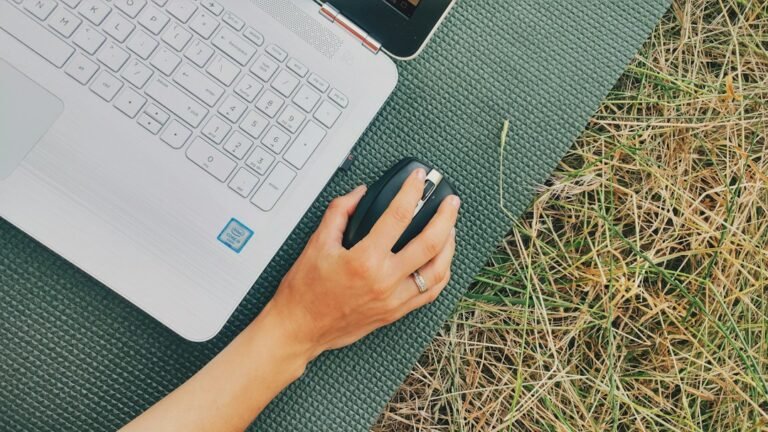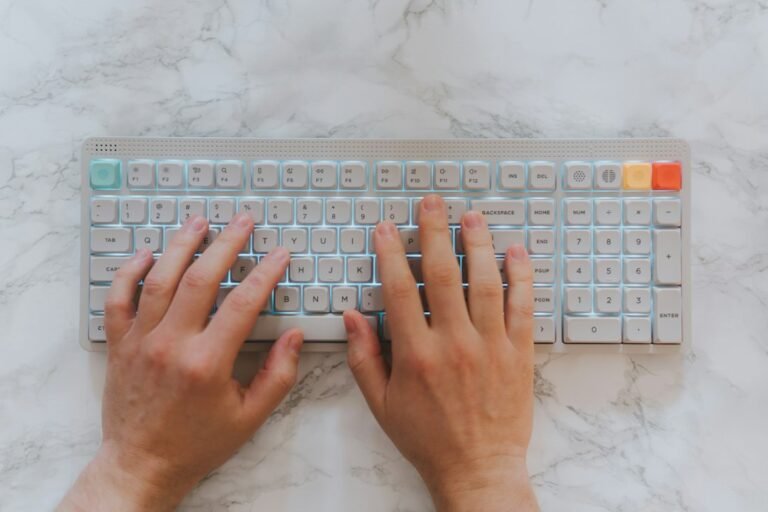
Most gamers focus on mouse DPI or software settings before looking at their own hands. Yet, the physical mechanics of your fingers often limit your maximum click speed. Effective finger training exercises build the specific muscle groups needed for rapid, repetitive clicks without causing injury. These drills target the small muscles in your hands and forearms, improving both speed and endurance. You can perform them in short, 10-minute sessions daily to see measurable results in your CPS score over a few weeks.
Key Takeaways
- Train the specific muscles used in clicking to improve speed and reduce fatigue.
- Focus on dexterity and flexibility before adding resistance or strength work.
- Consistency matters more than intensity; short daily sessions yield better results.
- Stop immediately if you feel pain, as this indicates potential strain or injury.
- Combine physical training with proper technique for the best CPS performance.
Why Finger Strength Matters for CPS
Your clicking speed is not just about how fast you think; it is about how quickly your muscles can execute the movement. The index finger and thumb are the primary drivers for most clicking styles, including jitter, claw, and butterfly clicking. When these muscles are weak or stiff, your clicks become sluggish and inconsistent. Training them allows for faster recovery between clicks, which directly translates to a higher CPS score.
Many players hit a plateau because their hardware is fast enough, but their hands cannot keep up. This is a common issue for beginners who start with high DPI settings or aggressive clicking styles. By strengthening the hand muscles, you remove this biological bottleneck. It is similar to how a runner trains their legs; the gear helps, but the engine is the body. If you are struggling to maintain a high CPS for more than a few seconds, your finger endurance is likely the limiting factor.

Five Safe Finger Training Exercises
You do not need gym equipment to train your fingers. Simple movements using your own hands or daily objects can build the necessary strength. Start with these five exercises, performing each for 10 to 15 seconds, three times a day. Rest for 30 seconds between sets. Always warm up your hands by rubbing them together for 30 seconds before starting.
1. Finger Taps
Place your hand flat on a table. Tap your index finger against the surface as quickly as you can without lifting it too high. This mimics the motion of a standard click. Focus on keeping your wrist relaxed. If your wrist moves up and down, you are using the wrong muscles. This exercise builds the fast-twitch fibers in your index finger, which are crucial for high-frequency clicking.
2. Thumb and Index Pinches
Pinch your thumb and index finger together, then release. Repeat this motion rapidly. This strengthens the muscles used in claw clicking and general grip stability. Keep your other fingers relaxed to isolate the movement. Aim for 20 repetitions per set. This drill improves the coordination between your thumb and index finger, which is essential for precise and fast clicks.
3. Finger Spreads
Place your hand flat on a table. Spread your fingers as wide as possible, then bring them back together. This increases flexibility and blood flow to the hand. Stiff hands click slower because the muscles cannot extend fully. This exercise helps prevent cramping during long gaming sessions. It is particularly useful for players who notice their hands feeling tight after 30 minutes of play.
4. Wrist Circles
Extend your arm with your palm facing down. Rotate your wrist in small circles, 10 times clockwise and 10 times counter-clockwise. This lubricates the wrist joint and reduces the risk of repetitive strain injury. While not a direct strength builder, it is a critical maintenance exercise. Neglecting wrist health leads to pain, which forces you to slow down or stop playing entirely.
5. Grip Squeeze
Hold a soft ball or a crumpled piece of paper. Squeeze it gently for 5 seconds, then release. Repeat 10 times. This builds overall hand strength without overloading the small muscles. Do not squeeze too hard; the goal is endurance, not maximum force. Over-gripping can lead to fatigue, which negatively impacts your CPS. This exercise supports the entire hand structure, making your clicking more stable and consistent.
For more detailed information on how to structure your training routine, you can check out this guide to increasing CPS. It covers the broader strategy behind physical and technical improvements.
How Often Should You Train?
Consistency is key. Training for 10 minutes a day is far more effective than training for an hour once a week. Muscles adapt to stress over time, so regular, moderate stimulation is what builds strength. You can do these exercises in the morning, during breaks, or before bed. The main rule is to stop if you feel pain. Discomfort is normal, but sharp or persistent pain is a warning sign.
Start with two sets of each exercise. As you get stronger, you can increase to three sets. Do not rush the progression. It takes at least two to four weeks to notice a significant difference in your CPS. Track your progress using a click speed test to see the tangible results. If you are not seeing improvement after a month, review your form or consider consulting a professional.
Common Mistakes to Avoid
Many gamers make the same errors when training their fingers. The most common mistake is training too hard, too soon. This leads to inflammation and pain, which sets you back. Another error is ignoring the wrist. Clicking is a whole-arm movement, not just a finger movement. If your wrist is locked or tense, your fingers cannot move freely.
Also, avoid using heavy weights for grip strength. You do not need to build a rock-solid grip to click faster. You need speed and endurance. Heavy weights slow down your reaction time and make your hands feel sluggish. Stick to bodyweight exercises and light resistance. If you are new to training, start with the finger taps and spreads only. Add the other exercises once you have mastered the basics and feel no discomfort.

Integrating Training with Clicking Practice
Physical training works best when combined with actual clicking practice. After doing your exercises, spend five minutes on a CPS test. This helps your brain connect the physical strength with the specific motion of clicking. Use a tool like the click counter to measure your progress in real-time. Focus on consistency rather than peak speed during these sessions. The goal is to make the motion feel effortless.
Try different clicking styles during your practice. If you are strong enough, experiment with jitter or butterfly clicking. These styles require more finger isolation and coordination. If you find them hard, stick to standard clicking until your muscles are stronger. Do not force a new style if it causes pain. Listen to your body. The right style is the one that feels natural and sustainable for long periods.
Signs You Need to Rest
Your body will tell you when it needs a break. Watch for these signs: persistent soreness that lasts more than 24 hours, numbness or tingling in your fingers, and reduced range of motion. If you experience any of these, stop training for at least 48 hours. Apply ice to the affected area if there is swelling. Continue with gentle stretches, but avoid strength exercises until the pain subsides.
Rest is part of the training process. Muscles grow and strengthen during rest, not during exercise. If you skip rest days, you risk overtraining, which leads to injury. A common mistake is thinking that more is better. It is not. Quality over quantity. A short, focused session is better than a long, painful one. If you are unsure about your symptoms, consult a healthcare professional. They can provide a proper diagnosis and treatment plan.
How to Track Your Progress
You cannot improve what you do not measure. Keep a simple log of your CPS scores after each training session. Note the date, the exercises you did, and your score. This helps you identify patterns. For example, you might find that your CPS improves on days you do more finger taps. Or you might notice a drop in score after a long gaming session, indicating fatigue.
Use a standardized test for consistency. Change your mouse DPI or software settings, and your scores will not be comparable. Stick to one setup for tracking purposes. You can use the clicking progress tracker to automate this process. It saves your data and shows trends over time. Seeing the upward trend is motivating and helps you stay consistent with your training.
What to Do Next
- Start with the Finger Taps and Finger Spreads exercises today. Do two sets of each.
- Test your baseline CPS using a reliable online tool. Record the score.
- Repeat the exercises daily for two weeks. Re-test your CPS at the end of the period.
Frequently Asked Questions
How long does it take to see results?
Most people notice a small improvement in one to two weeks. Significant gains in speed and endurance typically take four to six weeks of consistent daily training. Individual results vary based on age, fitness level, and starting strength.
Can I train both hands?
Yes, and you should. Most gamers are right-handed, but training your non-dominant hand can help with overall hand health and coordination. It also helps if you switch mice or use both hands for different tasks.
Is it safe to train every day?
Yes, as long as you do not push through pain. Light daily exercise is beneficial. If you feel soreness, reduce the intensity or take a rest day. Consistency is more important than intensity for long-term progress.