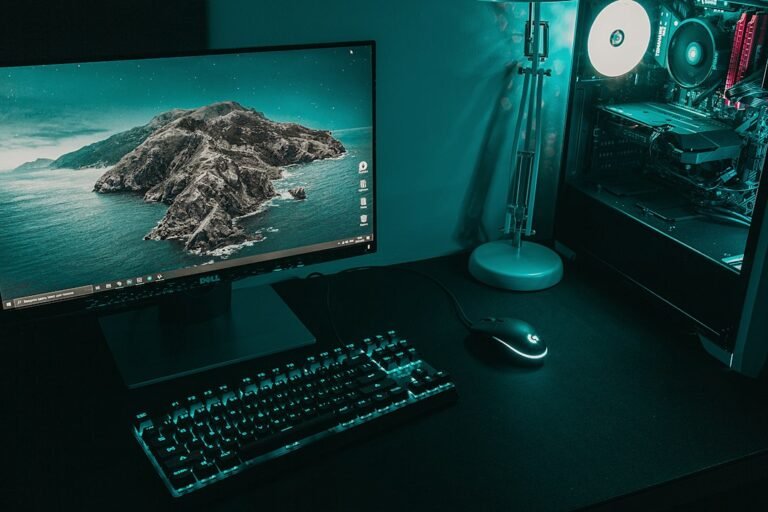

A hall effect keyboard uses magnetic switches that give you adjustable actuation and a rapid trigger, making it a popular choice for competitive gamers. The key difference from traditional mechanical switches is that the switch is sensed by a Hall sensor, which can detect the magnet’s position as the key moves.
Try it now: keyboard tester
Key Takeaways
- Hall effect keyboards offer adjustable actuation and instant repeat thanks to rapid trigger.
- They can be more durable and have lower latency than mechanical switches.
- Top models in 2026 include Wooting 80HE, Keychron K2 HE, and Lemokey P1 HE.
- Use a keyboard tester to verify key functionality before buying.
What Is a Hall Effect Keyboard?
In a hall effect keyboard, a tiny magnet in each key sits above a Hall sensor on the PCB. When the key is pressed, the magnet moves closer to the sensor, generating a signal that registers the keystroke. Because the sensor reads the magnet’s position, you can set the actuation point anywhere along the key’s travel. That’s the adjustable actuation feature.
The rapid trigger feature resets the actuation point as soon as the key starts to rise, so you can get an immediate repeat from any position. That’s a real advantage in fast‑paced games like Counter‑Strike, Valorant, and osu!
How Hall Effect Switches Compare to Mechanical and Optical Switches
Mechanical switches use a physical contact to register a press, which can wear out over time. Optical switches use a light beam that is interrupted by the key, offering lower latency but still relying on a mechanical contact. Hall effect switches, by contrast, read magnetic fields, so there’s no physical contact to wear down. That can translate to a longer lifespan and smoother feel.
Another advantage is the ability to program dynamic actuation points. If you want a light tap to register quickly, you can set a low actuation point; if you prefer a heavier key, set it higher. Mechanical keyboards usually only offer a fixed actuation point per switch type.
Top Hall Effect Keyboards in 2026
According to recent reviews, the best hall effect keyboards for 2026 include:
- Wooting 80HE – The benchmark for competitive play, offering software polish and low‑latency tuning.
- Wooting 60HE v2 – A smaller 60% layout with the same magnetic performance.
- Keychron K2 HE – A budget option that still delivers magnetic switches.
- Lemokey P1 HE – Known for its analog feel and adjustable actuation.
- DrunkDeer A75 Pro – Wireless option with magnetic switches.
Each of these models offers a different balance of price, size, and wireless capability, so choose based on what matters most to you.
When Should You Choose a Hall Effect Keyboard?
If you play games that require rapid, repeated keystrokes – such as first‑person shooters, rhythm games, or competitive typing – hall effect keyboards can give you an edge. They’re also a good choice if you want a keyboard that stays responsive over time and can be tuned to your personal preference.
However, if you’re on a tight budget or prefer a classic mechanical feel, a high‑quality mechanical keyboard might still be the better fit.
How to Test Your Keyboard for Dead or Stuck Keys
Before you invest in a new board, it’s smart to check each key for reliability. Use our keyboard tester to see the name and code of every key you press and spot dead or stuck keys instantly. The tool runs in your browser and requires no sign‑up.
After testing, you’ll know if a particular model has any problematic keys, which can save you from a costly replacement later.
Common Mistakes When Buying a Hall Effect Keyboard
- Assuming all magnetic keyboards are identical – the sensor type (Hall vs. TMR) and build quality can differ.
- Ignoring actuation point options – not all models let you program this feature.
- Overlooking wireless latency – some wireless magnetic keyboards still have noticeable input lag.
- Buying based solely on brand hype – read independent reviews to confirm performance claims.
What to Do Next
- Run the keyboard tester to check your current board.
- Compare the top models listed above to find one that fits your budget and layout preference.
- Check the polling rate of your chosen keyboard; a higher rate can reduce latency.

Why Actuation Point Tuning Matters More Than Speed
Many gamers assume that a lower actuation point automatically means faster reaction times. In practice, the ideal setting depends on your playstyle and the specific titles you run. A fixed, ultra-low actuation point can lead to accidental double-taps or missed inputs, especially if your typing form is heavy. Hall effect switches allow you to adjust this threshold digitally, often between 0.1mm and 4.0mm of travel.
Finding Your Sweet Spot
Start by setting the actuation point to the default manufacturer recommendation, usually around 1.2mm to 1.5mm. Play a competitive title of choice and note if you experience ghosting or unintended key presses. If you find yourself missing rapid taps, decrease the distance by 0.2mm increments. If you notice accidental inputs during fast movement or strafing, increase the distance slightly. This process requires patience and several sessions of practice to calibrate to your muscle memory.
Remember that lower actuation points require more precise finger control. If you are new to custom mechanical keyboards or have a heavy typing style, you may not benefit from the lowest possible settings. Stick to a moderate range where you feel confident in your control. The goal is consistency, not just raw speed.
Understanding Rapid Trigger and Snappy Modes
Hall effect keyboards introduce features like Rapid Trigger (RT) and Snappy Mode that standard mechanical keyboards cannot replicate without firmware hacks. Rapid Trigger allows the key to reset as soon as you release it, rather than requiring you to lift it past a specific reset point. This enables faster directional changes, which is critical in fighting games and first-person shooters.
How Rapid Trigger Changes Gameplay
- Reduced Input Lag: The key registers a release immediately, allowing for instant re-activation. This is particularly useful for evasive maneuvers where you need to stop and change direction quickly.
- <Stronger Control Over Movement: In games with analog-like movement, RT can provide smoother micro-adjustments. It reduces the binary nature of press/release, giving you finer control over character speed.
- Adaptation Period: Most players report an initial adjustment period of a few hours to a few days. Your brain needs to relearn the timing of inputs. If you feel jittery or unstable, try disabling RT temporarily to see if it helps stabilize your aim.
Snappy Mode is a related feature that combines rapid trigger with a very short reset distance. It is designed for players who prefer a highly responsive feel. However, it can be overly sensitive for casual gamers or those who type heavily. Test these modes in a practice range or training mode before using them in ranked matches.
Practical Setup Tips for Competitive Gaming
Buying a Hall effect keyboard is only the first step. Configuring it correctly ensures you get the performance benefits you paid for. Most Hall effect keyboards come with proprietary software that allows for per-key customization. This is where the real value lies, but it can also be overwhelming if you do not know what to adjust.
Essential Configuration Steps
First, ensure your software is up to date. Manufacturers frequently release firmware updates that improve stability and add new features. Next, define your actuation points per key. You do not need to set every key to the same value. For example, you might want a lower actuation point for your WASD keys to maximize movement responsiveness, while keeping a higher actuation point for your ability keys to prevent accidental activation during intense combat.
Second, configure your Rapid Trigger settings. Many keyboards allow you to enable RT globally or on a per-key basis. Start with only your movement keys (W, A, S, D) enabled for RT. This helps you get accustomed to the feel without overwhelming your input system. Once you are comfortable, you can expand RT to other frequently used keys, such as spacebar for jumping or mouse buttons if supported.
Finally, test your setup in a low-stakes environment. Use a training mode in your game of choice to practice rapid direction changes and quick ability activations. Pay attention to any inconsistencies or delays. If you notice issues, check your polling rate setting. Higher polling rates, such as 1000Hz or 4000Hz, can reduce input latency but may require more CPU power. Ensure your system can handle the increased data load without causing frame drops.
Long-Term Reliability and Maintenance
One of the biggest advantages of Hall effect switches is their durability. Since there are no physical contacts that wear down, these switches can last significantly longer than traditional mechanical switches. However, this does not mean they are maintenance-free. Dust and debris can still accumulate inside the switch housing, potentially affecting performance.
Caring for Your Hall Effect Keyboard
Clean your keyboard regularly using compressed air. Hold the can upright and use short bursts to blow out dust from between the keycaps. Avoid using liquid cleaners unless they are specifically designed for electronics. If you experience a key sticking or failing to register, first try remapping the key in software to rule out a software glitch. If the issue persists, it may be a hardware problem with the sensor or the switch itself.
It is also worth noting that Hall effect keyboards rely on magnetic fields to detect key presses. Strong external magnetic fields, such as those from large magnets or certain speakers, could theoretically interfere with the sensors. In practice, this is rare, but if you notice erratic behavior, ensure there are no strong magnetic sources nearby.
For most users, these switches will outlast the keyboard chassis itself, meaning you may eventually need to replace the board or reflow components if the PCB fails.
Keep your firmware updated. Manufacturers often release updates to improve compatibility with new operating systems or to fix bugs in the Rapid Trigger implementation. Check the manufacturer’s website periodically for the latest downloads. Proper maintenance and regular software updates ensure that your Hall effect keyboard remains a reliable tool for competitive gaming for years to come.
FAQ
What is the difference between hall effect and optical switches?
Hall effect switches read magnetic fields with no physical contact, while optical switches use a light beam that is interrupted by the key. Optical switches can have lower latency but still involve a mechanical part.
Do hall effect keyboards have lower latency than mechanical ones?
Because there’s no physical contact to wear, hall effect keyboards can offer more consistent latency, but the actual difference depends on the specific model and its firmware.
Can I program the actuation point on all hall effect keyboards?
Not all models allow actuation point adjustment. The Wooting 80HE and 60HE v2, for example, support this feature; others may not.