
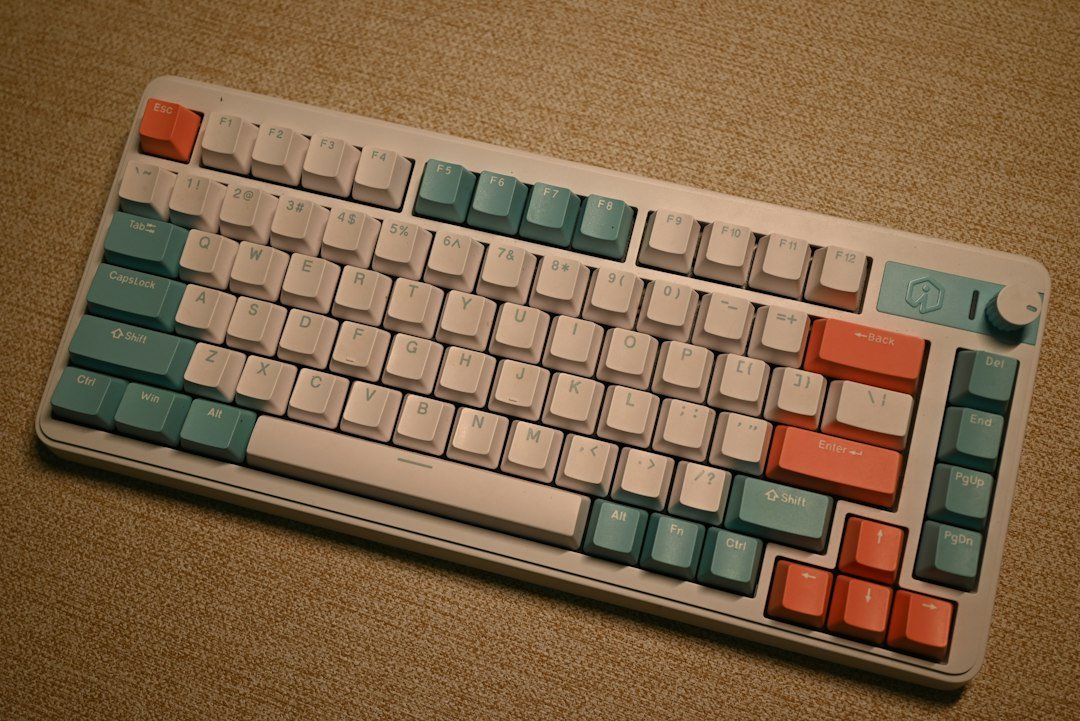
Starting with a Mechanical Keyboard does not require memorizing technical specs. The core idea is simple: each key has an individual switch underneath, giving you distinct physical feedback. For a beginner, the goal is to find a board that feels good to type on and works reliably for your specific needs, whether gaming or office work.
Try it now: keyboard tester
Key Takeaways
- Test your current input device first to identify if you actually need a new board.
- Linear switches are the standard recommendation for beginners who want smooth, fast typing.
- Always check for dead keys or inconsistencies before finalizing a purchase or custom build.
- Layout matters: full-size is best for general use, compact for gaming desk space.
Before you spend money on a new setup, you should verify that your current issues are actually caused by the keyboard itself. If keys are sticking or not registering, software or driver issues might be the culprit. A quick diagnostic is the smartest first step.
You can use a reliable keyboard tester to see if every key registers correctly. This free browser-based tool shows the name and code of every key you press, helping you find dead keys instantly without installing anything.
Why switch type matters more than brand
When people talk about Mechanical Keyboards, they usually mean the switches. These are the tiny mechanisms under the keycaps. The brand of the switch (Cherry, Gateron, Outemu, etc.) is less important for a beginner than the *type* of switch. Switches are generally categorized into three groups: linear, tactile, and clicky.
Linear switches move smoothly up and down with no bump. Tactile switches have a physical bump halfway down. Clicky switches have the bump plus an audible click. For most beginners, linear switches are the safest bet. They are versatile, quiet enough for shared spaces, and feel consistent.
If you are coming from a standard membrane office keyboard, the smooth glide of a linear switch is the most noticeable and often most appreciated change.

Choosing the right layout for your desk
The size of your keyboard depends on what you do with it. A full-size board includes a numpad, which is helpful for spreadsheet users but takes up a lot of desk space. Tenkeyless (TKL) boards drop the numpad, saving width while keeping all function keys.
Compact or 65% boards remove the arrow keys and some function keys, offering the most space for mouse movement. If you play FPS games or need maximum mouse room, a compact layout is often preferred. If you do a lot of data entry or accounting, stick with full-size.
There is no wrong choice here, but knowing your primary use case prevents buyer’s remorse.
Wired vs. wireless: what should you pick first?
Wired Mechanical Keyboards are generally recommended for your first board. They are often cheaper, do not require charging, and have lower input latency. Wireless boards have improved significantly in recent years, but they add cost and the need to manage battery life.
If you plan to use the keyboard in a fixed desktop setup, wired is the practical, no-fuss option. If you plan to use it on a lap or in a cafe, wireless is better. For gaming, especially competitive FPS, wired is still the standard for reliability.
You can always upgrade to wireless later once you understand your preferences.
How to test a new board before you commit
If you are buying a pre-built board, check the return policy. If you are buying parts to build your own, test each component. Keycaps should sit flush. Switches should sound and feel consistent. A common mistake is buying a board with one or two bad switches and ignoring it.
A single dead key can ruin the experience. Use the CPS Test suite or a similar online tool to verify that every key registers in software. This step is quick and catches issues that visual inspection might miss. If you are building a custom board, test the plate and PCB before assembling the final case.
It is much easier to swap a bad switch now than later.

Common beginner mistakes to avoid
Many first-time buyers focus too much on RGB lighting or case material. While aesthetics matter, they do not affect typing feel. A beautiful board with bad switches will feel slower and less responsive than a plain one with good ones. Another mistake is ignoring the keycap profile.
Cherry profile is the most common and comfortable for most users. SA profile is taller and rounder, popular in custom builds but can be tiring for long sessions. Finally, do not skip the burn-in period. New switches feel stiff for the first few hours. This is normal.
The stabilizers may also rattle, which can be fixed with lube. If you are curious about how switch feel impacts your typing speed, you can read more about switch types for fast clicking to understand the nuances.
Budget vs. premium: where to start
You do not need to spend hundreds of dollars for a good Mechanical Keyboard. Mid-range boards offer 90% of the experience of premium ones. Look for boards with hot-swappable switches, which let you change switches without soldering. This is a huge value feature for beginners who want to experiment.
If you are on a tight budget, check out resources like best budget mechanical keyboards for 2026 to find reliable options. Premium boards offer better build quality, sound dampening, and out-of-box tuning, but the functional difference is minimal for casual users. Start mid-range, learn what you like, then upgrade if needed.
What to do next
First, run a quick diagnostic on your current keyboard to confirm you need a new one. Second, decide on your switch type (start with linear) and layout (full-size or TKL). Third, pick a wired, hot-swappable board in your budget range. Once you have it, take a few days to get used to the feel. Do not judge it in the first hour. The smoothness and consistency will become clear with regular use.
How to actually buy your first board without overthinking it
Most beginners get stuck in the “spec spiral,” comparing 40 different models because they think the difference between a $60 and a $150 entry-level board is worth the extra money. It usually isn’t.
For your first mechanical keyboard, the difference between a decent budget board and a premium one is mostly about sound modulation and case material, not typing feel. The switches do 90% of the work. Your first goal is to learn what you like, not to build a masterpiece.
Here is a practical way to cut through the noise. Ignore the brand name for a moment. Look at the switch type (linear, tactile, or clicky) and the layout size. If you are coming from a laptop keyboard, a 60% or 65% layout is often the best starting point.
It saves desk space, forces you to learn the new keybinds faster, and is usually cheaper than a full-size board. If you rely heavily on arrow keys or a numpad, stick to a 75% or TKL (tenkeyless) layout.
Do not buy a 60% board if you use Excel all day; you will hate the lack of numpad within a week.
The “Safe Bet” Method
If you have no idea what a switch feels like, buy a multi-switch test kit first. These are cheap plastic sheets with 5-10 different switches mounted on them. You type on them for an hour. This costs a few dollars and saves you from buying a $100 board you hate.
If you skip the test kit, pick a tactile switch. Tactile switches have a physical bump you feel when the key actuates. They are the easiest to adapt to for people coming from membrane keyboards because they give you clear feedback that the key registered.
Linear switches can feel “mushy” to beginners because there is no bump to stop the key travel, which can lead to bottoming out (hitting the bottom of the switch housing) and noisy typing.
Understanding the three switch categories in plain English
Marketing terms like “thocky,” “creamy,” or “springy” are subjective and often misleading. Stick to the mechanical reality. There are three main categories, and knowing the difference helps you avoid regret.
- Linear: Smooth travel from top to bottom. No bump, no click sound. Good for gaming and fast typists who like a quiet, consistent feel. They are often the fastest in terms of actuation speed because you don’t need to overcome a tactile barrier.
- Tactile: A physical bump in the middle of the key travel. You feel it, but it doesn’t make a loud clicking sound. This is the most popular category for office work and general typing because it confirms each keystroke without being annoying to coworkers.
- Clicky: A tactile bump plus an audible click sound. It is loud. It is satisfying for some, but it is the biggest mistake for beginners to buy first. If you are in a shared office or live with roommates, clicky switches will cause friction. Save them for when you are sure you love the feel and have the space to be loud.
One common mistake is thinking “clicky” means faster. It doesn’t. The speed comes from the switch’s actuation point (how far down the key must go to register), not the sound. A linear switch can be faster than a clicky one if the linear one has a lower actuation point. Focus on the feel and the actuation distance, not the noise level, unless you specifically want noise.
Why your first board might feel “off” and how to fix it
Even a good keyboard can feel strange for the first few days. Your fingers are used to the low resistance and long travel of a membrane keyboard. Mechanical switches are stiffer and shorter. This is normal. Do not return the board after two days. Give it a week. Your muscle memory will adjust.
However, if it still feels wrong after a week, check these three things:
- Keycaps: Cheap PBT or ABS keycaps can feel slippery or have bad legends. If the keys feel too slippery, your fingers might slide off the center, making typing feel imprecise. This is a keycap issue, not a switch issue.
- Key Size: Are you used to a row of 10 number keys? If your new board has a smaller number row, your left hand has to reach further. This causes fatigue. If this is the case, you picked the wrong layout, not the wrong switches.
- Sound Expectations: You might expect it to sound like the videos on YouTube. Real-world sound depends on your desk surface, your typing force, and the keycaps. A “thocky” sound in a video might sound “hollow” on your desk. This is not a defect. It is physics. If the sound bothers you, add a desk mat. It absorbs the high-frequency sounds and makes the board sound deeper and softer.
If the switches feel too stiff, you might be used to low-force switches. Most standard switches are 45-55 grams force. If you are coming from a very light laptop keyboard, 55g might feel heavy. This is an adjustment period. Your fingers get stronger over time. If you have hand pain or arthritis, consult a doctor before buying a heavy board. Lighter switches (35-45g) exist, but they are harder to find and often more expensive.